
Download Supportbot Pro – Advanced AI Chatbot for Customer Engagement
Overview
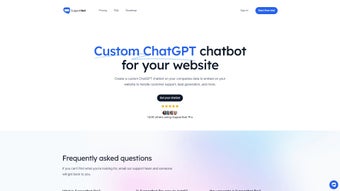
Supportbot Pro is a cloud‑based, subscription‑driven AI chatbot designed to turn website visitors into satisfied customers and qualified leads. Built on a state‑of‑the‑art deep‑learning natural language processing (NLP) engine, the platform can understand complex, multi‑turn conversations, retrieve information from a company’s existing web pages, PDFs, or JSON data sets, and respond instantly in a tone that feels genuinely human. Unlike generic chat widgets that rely on static keyword matching, Supportbot Pro continuously learns from the specific content you provide, which means answers become more accurate over time and stay on‑brand.
The chatbot also acts as a lead‑generation powerhouse: every interaction is automatically logged, scored, and can be pushed to popular CRMs such as HubSpot, Salesforce, Zoho, or a custom endpoint via webhooks. Multilingual support for over 20 languages lets you serve global audiences without the need for separate localized bots. Security is baked into the architecture—end‑to‑end TLS encryption, GDPR, CCPA, and ISO‑27001 compliance ensure that both customer data and business information remain protected.
Whether you run an e‑commerce store, a SaaS platform, a professional services firm, or a traditional brick‑and‑mortar business expanding online, Supportbot Pro offers a flexible, secure, and scalable solution that reduces support costs, improves response times, and frees human agents to focus on higher‑value tasks. Its lightweight integration—just a single HTML snippet or a ready‑made plugin for major CMS platforms—means you can launch a fully functional AI assistant in minutes, not weeks.
Key Features that Differentiate Supportbot Pro
- Deep Learning NLP Engine: Handles nuanced, context‑aware conversations, understands industry‑specific terminology, and adapts to user intent over time.
- Custom Data Training: Upload website pages, PDFs, or structured JSON files; the bot extracts and indexes content to provide precise, on‑brand answers.
- One‑Line Integration: A single JavaScript snippet placed before the closing
tag instantly activates the chatbot across all pages. - CMS Plugins: Dedicated plugins for WordPress, Joomla, Drupal, and Shopify simplify deployment without manual code edits.
- Multilingual Support: Automatic language detection and built‑in translation for 20+ languages, with fallback to English when needed.
- Lead Capture & Scoring: Real‑time lead qualification, tagging, and seamless export to HubSpot, Salesforce, Zoho, Pipedrive, or custom APIs.
- Brand‑Consistent UI: Fully customizable chat window—colors, avatars, welcome messages, and typography—to match corporate style guides.
- Secure & Compliant: TLS‑encrypted traffic, GDPR/CCPA compliance, ISO‑27001‑aligned processes, and optional stateless mode for privacy‑first deployments.
- Analytics Dashboard: Live metrics on conversation volume, satisfaction scores, average handling time, and conversion rates, exportable to CSV or BI tools.
- Continuous Model Updates: Monthly AI model refinements, security patches, and new feature releases delivered automatically.
- 24/7 Availability: Cloud‑hosted architecture guarantees uninterrupted service, even during holidays or peak traffic spikes.
Installation, Configuration & Compatibility
Step‑by‑Step Installation
After purchasing a subscription, you receive an email with a unique JavaScript snippet and an API key. Copy the snippet and paste it just before the closing tag on every page where the chatbot should appear. Save the file, clear any server‑side cache, and refresh the page—your chat widget will load instantly. For WordPress, Joomla, Drupal, or Shopify, simply install the official Supportbot Pro plugin, enter the API key in the settings panel, and the plugin injects the script automatically, eliminating manual edits.
Dashboard Configuration & Training
Log in to the cloud‑based Supportbot Pro dashboard using your credentials. The “Data Import” wizard guides you through uploading PDFs, crawling selected website sections, or linking external JSON feeds. Once the content is indexed, you can create custom intents, map common questions to predefined answers, and set escalation rules for when the bot should hand off a conversation to a live agent via email, Slack, or a built‑in ticketing system. The visual theme editor lets you tweak colors, button shapes, and welcome messages in real time, with a preview mode that shows exactly how the widget will look on desktop and mobile devices.
Supported Operating Systems & Browsers
Because Supportbot Pro is delivered as a SaaS solution, it works on any device with a modern web browser. Visitors on Windows 10/11, macOS Ventura or later, Linux distributions, Android 8+ and iOS 13+ will see the same responsive chat interface. The admin dashboard is optimized for Chrome, Edge, Firefox, and Safari, ensuring a consistent experience for both administrators and end‑users.
Usage Tips for Maximum ROI
To get the most out of Supportbot Pro, start by identifying the top 20–30 frequently asked questions (FAQs) from your support tickets and map them to precise answers in the dashboard. Enable the “Proactive Greeting” feature to trigger a chat invitation after a visitor spends a defined amount of time on a product page. Leverage the lead‑scoring rules to prioritize high‑intent visitors—those who ask pricing or demo‑related questions—and automatically route them to your sales team. Finally, review the analytics dashboard weekly to spot trends, adjust intents, and continuously improve the bot’s performance.
Pros, Cons & Frequently Asked Questions
Pros
- Highly accurate, context‑aware responses thanks to custom data training.
- Instant one‑line integration reduces development time and costs.
- Multilingual engine opens new international markets without extra development.
- Robust analytics provide clear ROI measurement and insight into user behavior.
- End‑to‑end encryption and compliance with GDPR, CCPA, and ISO‑27001 keep data secure.
- Scalable pricing plans accommodate startups, growing businesses, and enterprise traffic.
Cons
- Subscription pricing may be steep for very small businesses with limited budgets.
- Initial data upload and intent mapping require a moderate amount of manual effort.
- Deep integrations with legacy CRMs may need developer assistance or custom API work.
- Automatic language detection can occasionally misinterpret regional dialects.
FAQ
How does Supportbot Pro ensure data privacy?
All chat transcripts are encrypted in transit (TLS) and at rest. The platform complies with GDPR, CCPA, and ISO‑27001, and offers data‑processing agreements for enterprise customers. You can also enable stateless mode, which prevents any conversation data from being stored.
Can Supportbot Pro integrate with my existing CRM?
Yes. Native connectors exist for HubSpot, Salesforce, Zoho, and Pipedrive. For other systems, you can use webhooks or the REST API to push lead data in real time.
Is there a free trial available?
Supportbot Pro offers a 14‑day free trial with full feature access. No credit card is required—simply sign up, receive the integration script, and start testing on your live site.
How often is the AI model updated?
The underlying NLP engine receives monthly updates that improve language understanding, add new intents, and incorporate the latest security patches. Users are notified automatically and can apply updates with a single click.
What support options are provided if I encounter issues?
Subscribers receive 24/7 email support, a dedicated account manager for enterprise plans, a comprehensive knowledge base, and live chat assistance during business hours for quick troubleshooting.
Final Verdict & Call to Action
Supportbot Pro delivers a powerful blend of AI accuracy, effortless deployment, and robust analytics that can transform any website’s customer service and lead‑generation capabilities. While the subscription cost may be a consideration for very small teams, the measurable reduction in support tickets and the increase in qualified leads typically provide a strong return on investment. If you’re ready to modernize your customer engagement, improve conversion rates, and free up your support staff for higher‑value interactions, downloading Supportbot Pro today is a strategic step forward.
Start your free 14‑day trial now and experience the benefits of an intelligent, secure, and multilingual AI chatbot.



.png)



